新的 Vue 状态管理库 Pinia 的简单使用
前言
最近逛掘金发现了新的 Vue 的状态管理库,挺有意思
正文
目前 Vue 官方的状态管理库为 Vuex , 相关版本为 4.0.2 ,适用于 Vue3
Vuex4 和 Vuex3 其实写法上都差不多
更多的感觉是兼容上的处理
从 new Store 的方式改为了 createStore
增加了一个 composition api useStore
其他写法几乎不变
目前已经有关于 Vuex5 的相关提案
Pinia 基本上按这个提案进行实现
作者为 vuejs 的核心成员,感觉 Pinia 最终会收归 vue 下
Pinia 的官网
和 Vuex3 和 Vuex4 的区别
在官网 Comparison with Vuex 3.x/4.x 中,介绍了 Pinia 和 Vuex3 和 Vuex4 的区别
- mutations no longer exist. They were very often perceived as extremely verbose. They initially brought devtools integration but that is no longer an issue.
- No need to create custom complex wrappers to support TypeScript, everything is typed and the API is designed in a way to leverage TS type inference as much as possible.
- No more magic strings to inject, import the functions, call them, enjoy autocompletion!
- No need to dynamically add stores, they are all dynamic by default and you won’t even notice. Note you can still manually use a store to register it whenever you want but because it is automatic you don’t need to worry about it.
- No more nested structuring of modules. You can still nest stores implicitly by importing and using a store inside another but Pinia offers a flat structuring by design while still enabling ways of cross composition among stores. You can even have circular dependencies of stores.
- No namespaced modules. Given the flat architecture of stores, “namespacing” stores is inherent to how they are defined and you could say all stores are namespaced.
- 不再需要
mutations,这常常让人觉得非常冗余。mutations最初是用来提供devtools集成, 但是现在集成已经不需要mutations了 - 无需自定义复杂的包装类型来支持
TypeScript,所有东西都是类型化的,并且API以一种尽可能地利用TypeScript类型推断来设计 - 不再注入魔法字符串,现在只需要导入相关函数,调用即可,操作自动完成!
- 无需动态地添加
store,store默认情况下是动态的,你可能都不会注意到。无论何时你仍然可以手动地注册一个store,因为这个过程是自动的,你无需担心。 - 模块不再使用嵌套的结构。依然可以隐式地嵌套
store,可以通过在另一个store导入以及使用一个store,Pinia通过设计提供一个扁平的结构,可以在store之间使用交叉 composition 的方式。甚至可以在store之间存在循环依赖。 - 没有命名模块。由于提供了扁平的
store结构,命名store就是固有的特性,可以说,所有的store都是命名的。
定义 store
在 Pinia 中, 有两种创建 store 的方式
一种和 Vuex 基本一致
另一种类似与 composition api
Vuex 方式
1 | import { defineStore } from "pinia"; |
composition 方式
1 | import { defineStore } from "pinia"; |
我个人而言还是喜欢第二种新的方式的,因为我不是很喜欢 this 这个东西
我在想既然 getters 使用了 state 作为参数传入,为啥 actions 就不用呢…
使用 store
1 | <script setup> |
记得要把 pinia 安装到 Vue 上
1 | // main.js |
然后启动项目即可看到如下界面
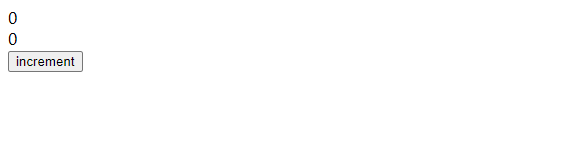
对按钮进行点击,即可看到视图的变化

后记
Pinia 的出现,我个人觉得很好的解决了 Vuex 中的命名模块问题
命名模块意味着我们需要使用字符串魔法值( commit 操作, dispatch 操作)
而 Pinia 分散了这些 module , 使之成为独立的 store
使得代码的整体编写几乎不会出现魔法值,而且这些 store 天生就具有模块性
在需要用到的地方 import ,然后就直接可以使用
目前有点不是很爽的就是它兼容 Vue2 ,希望能出个纯 Vue3 版本的